The goal of this site is to develop a place where information can be freely shared among amateur radio operators, shortwave listeners, radio enthusiasts and anyone interested in amateur astronomy. Feel free to browse this site.
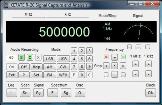
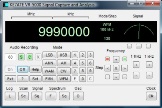
Interested in a new face for your Yaesu VR-5000 all mode communications receiver?

As of today, I am accepting only money orders. I can still email the software to valid purchasers, but it will just take longer since interested purchaser's will need to mail the money order to me directly. I used PayPal as a convenience to my customers.
Latest News . . . User comment about my VR-5000 software.
Adrian Bray - M3ONL has this to say about the VR-5000 software. "Most impressive piece of radio control software i have come across,ken has put in some serious thought about what users want from their control software and has incorporated user suggestions into it. A DSP control added to the software for me would be the icing on the cake, this dedicated vr5000 software is unrivalled by anything and will remain so for a long time to come. Well done ken."
January 14, 2008 Spring 2008 - A New Semester at NMSU
A new semester has begun and this means I will be bogged down with engineering and calculus homework again. My experience has been is to have all the experiences you can. For me, this is just one semester closer to my electrical engineering degree and the chance to learn some new things. VR-5000 Signal Capture and Analysis Version 1.2 Version 1.2 of my software is now available for purchase. This will probably be the last update for sometime now, as my time to work on extracurricular projects is non-existent until this summer. I have made the decision to upgrade those whom I promised upgrades to (users of Version 1.0), to version 1.2. This will basically put most everyone at version 1.2. However, sending these out to the existing users is going very slow, but I am working on them as I have time. So, please have patience. I have many things keeping me busy around what little time I can spend programming. (work full time, school full time, etc) Here is a list of changes, updates, and bug fixes I made up to version 1.2 Version 1.1 1. Added scaling to the audio spectrum display. I actually calibrated this using an audio function generator, frequency meter and lots of patience. (Enhancement) 2. Enhanced the ‘Settings’ dialog box to include the ability to set most of the controls in the main program. (Enhancement) 3. Added connection capability for COM 1 through COM 4. This will hopefully help everyone wanting to run this program on a computer that doesn’t have a COM 1 available. Later, I will add COM 1 through 16 as suggested by G4HFQ (creator of FTBVR5K and FTBCAT). (Enhancement) 4. Added capability to select a listed frequency in the browser view using the space bar. The ‘enter’ key was already taken for keypad control. The space bar seemed the only logical and useful choice for this function. (Enhancement) 5. Added ‘Hot Tracking’ to the browser display (Sorry, I didn’t pick the name, this is what Microsoft calls it.) allowing quick frequency selection using the space bar or the mouse. Now selecting a frequency listing from the browser may be done using the mouse or the keyboard. (Enhancement) 6. Added ‘undocumented steps in AM, FM-N and WFM modes. This is only available after the receiver has made connection to the PC. (Enhancement) 7. Added the capability to select date and time format for audio file names. This was to give both Europeans and U.S. users the option to choose what they are accustomed to using. Thanks, Wojciech from the UK for the excellent suggestion. (Enhancement) 8. Corrected a bug in the incrementing and decrementing of the frequency using the 1 kHz up and down buttons. (They were incrementing and decrementing by 10 kHz). (Bug Fix) 9. Corrected a problem where the mode and step was not being sent to the receiver when the CAT connection was established when the radio was turned on. I don’t know how I missed this one. (Bug Fix) 10. The ‘Step’ was being ignored when selecting a listing from the browser view. The previous step from a possible previous mode was being used and didn’t necessarily work in the mode stored in the browser file. For example, the 20 Hz step would not visibly be working as it incremented or decremented in the software display as it was attempting to change frequency in FM-N mode. Now the selection will set the correct mode, as it would if you
pressed one of the mode buttons in the control area of my
software. (Bug Fix) 11. Updated the manual with new information about the software, changes and undocumented features of the VR-5000. 12. Disappearance of the S-Meter Needle. This was happening when the ‘Ent’ button was pressed while using VFO B. (Bug Fix) 13. I corrected a problem where sometimes the s-meter was not working on startup. The sub-receiver is turned on with the receiver to make sure the program is receiving s-meter data from the receiver. (Bug Fix) 14. Corrected problem with the A=B button. it was not setting the ‘Ent’ button on VFO A when pressed. It was being set for VFO B, changing which VFO was being used. (Bug Fix) 15. Also, the step increment and decrement buttons would set VFO B up or down 20MHz after pressing the A=B button. I found this throughout the program. I think I found all of the places it was hiding. (Bug Fix) 16. Revised header line of ‘catcontrol.ini’ file to reflect version 1.1. Version 1.2 1. Added Spectrograph display feature to audio spectrum display. This is a great feature and I finally figured out how to make it work. (Enhancement) 2. Added minimizing button to allow minimizing program to task bar. Oops I forgot to put this in the first two versions. (Enhancement) 3. Added spectrum data logging feature. This is mainly for recording the audio spectrum data to a file for future data manipulation. Works the same as the Signal Log and Scan Log features. (Enhancement) 4. Added a Squelch indicator. This is still quirky but it does work. (Enhancement) 5. Added Recording, Playback and display controls to the collapsed view and Scan view display modes. (Thanks to the excellent suggestion by Tom Brant) This makes these controls accessible to smaller screen resolutions, such as laptops. (Enhancement) 6. Added a ‘Help’ button. (A good suggestion by Tom Brant)(Enhancement) 7. Added a ‘Help’ file, which is accessible through the ‘Help’ button. 8. Added the remainder of the allowable comport for a PC. Now a total of 16 different comports may be set up for use with this software. This should help many of those users who use 9-pin serial port adapters to connect with their VR-5000. Many of these devices utilize comports numbered beyond the basic four on a standard PC. (This came from a suggestion from G4HFQ, creator of FTBasic.) (Enhancement) 9. Corrected a problem with the clear buttons for the signal and scan logging features. They were looking for a file under the root of the program c:\VR5000sigcap\ and they are not stored there. They are stored in their respective folders under the main program directory. (Bug Fix) 10. Fixed the ‘Cancel’ button under the browser save dialog box. Pressing this caused the program to crash. Now the dialog closes gracefully. (Bug Fix) 11. Fixed (from 1.0) and I forgot to mention this was corrected) the dB Threshold was not reading the full value (the third digit) from the ‘catcontrol.ini’ file. Now, the program can see the third digit in the stored field. (Bug Fix) 12. Fixed Up/Down MHz for VFO A and VFO B to be bounded at 1.00000 MHz and at 2500.00000 MHz. It was creating an error (Error ‘13’) and the program would crash. Now, if the frequency equals 1.00000 MHz, then the lowest you can decrement using Down ‘1 MHz’ button is 1.00000 MHz. If the frequency is less than 1.00000 MHz, then the frequency will not change or decrement. If the frequency equals 2599.00000 MHz, then the highest you can increment using the Up ‘1 MHz’ button is 2599.00000 MHz. If the frequency is greater than 2599.00000 MHz, then the frequency will not change or increment. (Bug Fix) 13. Removed ‘Readme.txt’ file from the 1.2 installation package
Build. This file is no longer needed and is out dated. 14. Revised header line of ‘catcontrol.ini’ file to reflect version 1.2. 15. Revised the Manual to reflect changes in version 1.2. I also
found a few places where I forgot to add information such as an
example of a ‘browser text file’ and a few screenshots. Something New for the Yaesu FT-817 I am working on a version of this software for the Yaesu FT-817 transciever. This is a challenge, since many features on this radio involve transmission as well as also being fundamentally different than the VR-5000 receiver. What I have working so far: Don't expect this software too soon. It has a long way to go before anything useful will be released. I hope everyone had a wonderful holiday and your new year is off to a great start.
March 5, 2008
On/Off
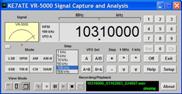
CAT connection speeds
S-Meters
Signal Graphing
Frequency Input
All Audio displays

This page was last updated: October 11, 2007
Copyright 2005,
Kenneth Stevens, KE7ATE
KE7ATE@yahoo.com